INDIANA FIELD GUIDE
Signs & signals.
Read the shape, color, and signal before choosing your next move.
Signs combine shape, background color, lettering, and symbols. An octagon calls for a stop; a triangular yield sign asks you to slow down and be ready to stop. Yellow diamonds warn about conditions ahead, while orange commonly marks temporary work-zone conditions.
A green signal allows you to proceed only when the intersection is clear. A steady yellow means your right of way is ending. A flashing red works like a stop sign; a flashing yellow calls for slowing down and caution.
Keep these in mind.
- Stop at a marked stop line. Without one, stop before the crosswalk; without either, stop before entering the intersection.
- For a left turn on a green light without an arrow, yield to oncoming traffic. A flashing yellow turn arrow also requires yielding to pedestrians and oncoming traffic.
- A right turn on red, where permitted, requires a complete stop, the correct lane, no prohibiting sign, and a clear path for vehicles and pedestrians.
- Do not assume a green light makes a blocked intersection safe to enter.
Rules and worked examples.
Driving rules below summarize the official manual. Safety recommendations explain its practical guidance; example numbers are not additional legal requirements.
Driving rule
A warning is different from a command
A yellow STOP AHEAD sign warns you about the stop sign ahead. The red STOP sign requires a complete stop at the proper stopping location. An advisory speed recommends a speed for a feature; a posted speed-limit sign sets a limit you must obey.
Example. You see a yellow curve sign with a 25 MPH plaque on a road posted at 45 MPH. Slow for the curve; 45 is not a promise that the curve is safe at that speed. Stop at a STOP sign farther along the road, not at its advance warning sign.
Why it matters. Reading the sign’s purpose helps you prepare early and act at the correct location.
Official manual: page 29, page 31, page 35, page 41, page 42
Driving rule
Turn on red only when permitted
For a permitted right turn on red, stop completely, use the correct lane, check for a No Turn on Red sign, and yield to vehicles and pedestrians in or about to enter your path. Indiana also permits a left turn on red from a one-way street onto a one-way street under the manual’s stated conditions.
Example. At a red light you want to turn right, but a pedestrian is starting across the road you would enter. Stay stopped and let the pedestrian cross. A gap in vehicle traffic alone does not make the turn safe.
Why it matters. The red signal still requires a stop; permission to turn does not give you priority over others.
Driving rule
Flashing red and flashing yellow mean different things
A flashing red requires a complete stop, then yielding before proceeding. A flashing yellow means slow down and proceed cautiously. A flashing yellow turn arrow permits a turn only after yielding to pedestrians and oncoming traffic.
Example. Your light flashes red while the cross street flashes yellow. Stop and wait for a safe opening. Do not treat the crossing as an all-way stop: cross traffic is not required to stop for its flashing yellow.
Why it matters. Confusing the two signals can put your vehicle in the path of traffic that has the right of way.
Official manual: page 34
Driving rule
Pedestrian hybrid beacons
A pedestrian hybrid beacon is normally dark. When activated, flashing yellow is followed by steady yellow, then steady red for the pedestrian crossing. The red lights then flash; stop and proceed only when the crossing is clear.
Example. You approach a mid-block crossing showing two steady red lights. Stop even though there is no intersection. During the following flashing-red phase, stop first and continue only after checking that pedestrians have cleared your path.
Why it matters. This signal protects a crossing that may be away from a conventional intersection.
Official manual: page 36
The full road sign study library.
Study all 119 entries here, including the manual’s illustrated sign collections and meaningful variants from pages 27–33. Review the colors, shapes, and explanations, then try the sign quiz. This is study material, not the official exam question pool.
Jump to the road sign quiz →Start with color and shape.
Recognize the kind of message before you read the words.
Seven color groups
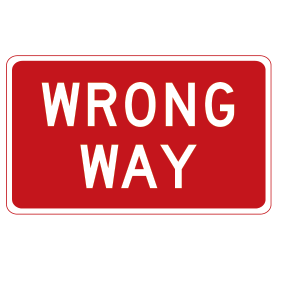
Red
Traffic regulations requiring immediate action, such as wrong way or stop.
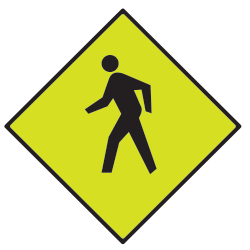
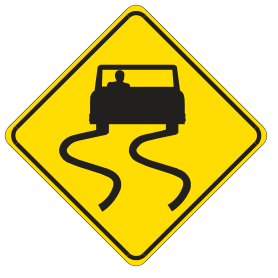
Yellow and fluorescent yellow-green
Warnings of hazards ahead. Fluorescent yellow-green highlights schools, pedestrians, bicycles, playgrounds, and school bus routes.
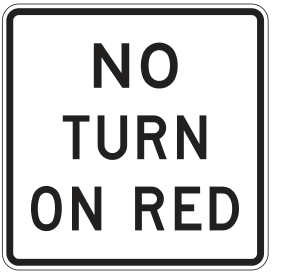
White
Traffic regulations such as turn restrictions and speed limits; also information such as state route markers.
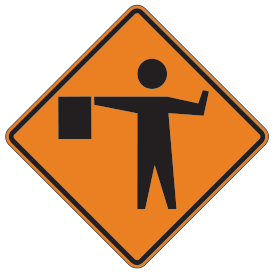
Orange
Temporary conditions, often construction or maintenance. Watch for workers and changing traffic patterns.
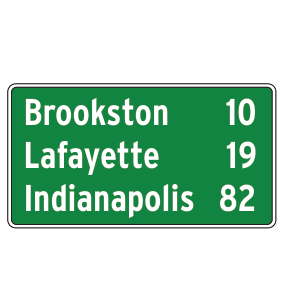
Green
Directions, permitted movements, highway entrances and exits, and distances to destinations.
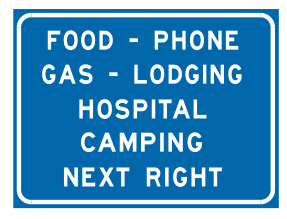
Blue
Road services and information, such as food, fuel, and lodging.
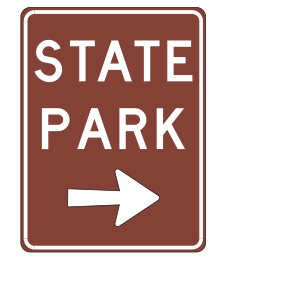
Brown
Recreation and cultural places, such as state parks and historical sites.
Seven common shapes
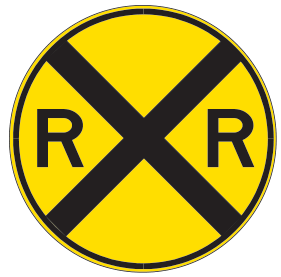
Circle
A railroad crossing is ahead.
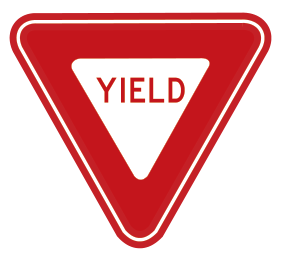
Inverted triangle
Yield. Slow down and stop if needed to give others the right of way.
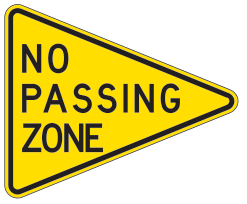
Pennant
No passing zone. Look for it on the left side of a two-way road.
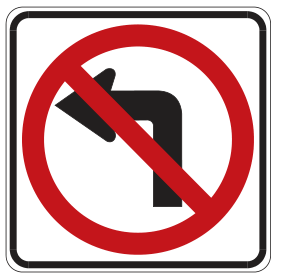
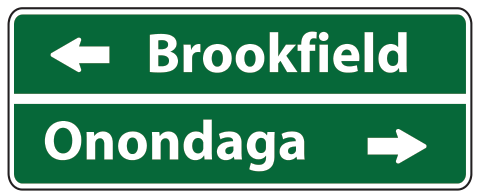
Rectangle
Read the message: rectangles can give regulations, route or destination information, or an advisory speed.
Diamond
A warning of a road condition or hazard ahead.
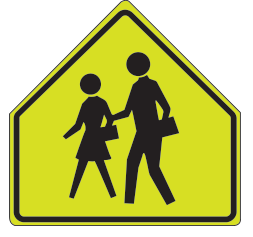
Pentagon — five sides
A school area where children may be crossing the road.
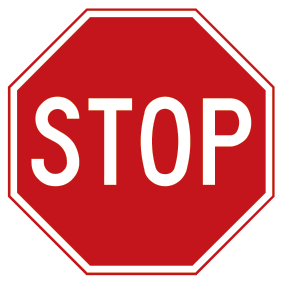
Octagon — eight sides
Stop completely and yield the appropriate right of way.
Figures are from the official manual. Select a sign image to see it larger. Numbers, distances, route names, and parking terms in these examples apply to the pictured sign; always follow the actual signs and conditions where you drive.
Warning signs
Try the quiz →Notice hazards and changes in the road ahead.
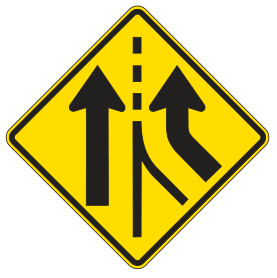
Added lane
Yellow diamond; two upward arrows with a new lane joining.
An extra lane begins ahead. Notice how traffic lanes continue as you approach.
Official manual · page 29 →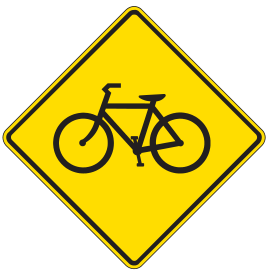
Bicycle crossing
Yellow diamond; bicycle symbol.
Watch for bicyclists entering or crossing the road. Slow down and share the road safely.
Official manual · page 29 →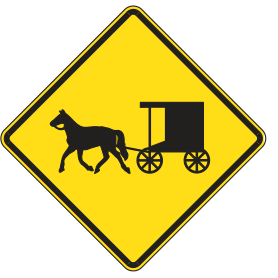
Buggy warning
Yellow diamond; horse and buggy.
Expect horse-drawn vehicles. Reduce speed and give them room.
Official manual · page 29 →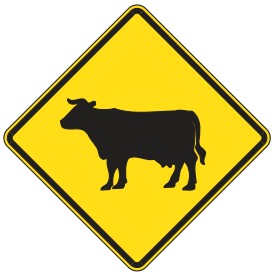
Cattle crossing
Yellow diamond; cow silhouette.
Cattle may enter or cross the road. Slow down and watch the roadside.
Official manual · page 29 →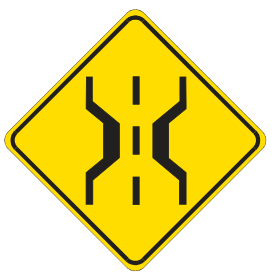
Narrow bridge
Yellow diamond; bridge edges narrow inward.
The bridge ahead is narrower than the approaching roadway. Reduce speed and keep within your lane.
Official manual · page 29 →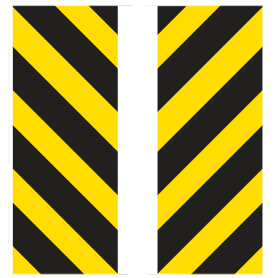
Object markers
Paired panels with diagonal black and yellow stripes.
Mark an obstruction or roadway edge. Follow the marked path around the hazard; these paired examples show the sides of an opening.
Official manual · page 29 →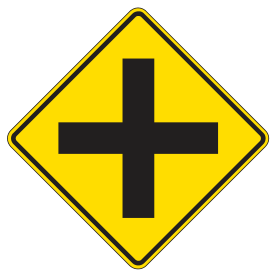
Intersection ahead
Yellow diamond; black cross.
A crossroad is ahead. Watch for traffic approaching from either side.
Official manual · page 29 →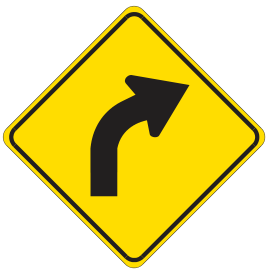
Curve ahead
Yellow diamond; curved right arrow.
The road curves right ahead. Adjust your speed before the curve.
Official manual · page 29 →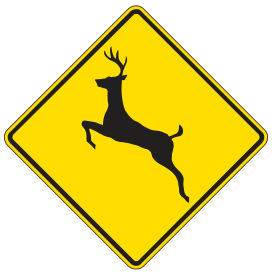
Deer crossing
Yellow diamond; deer silhouette.
Deer may cross the roadway. Watch the edges of the road and be ready to slow down.
Official manual · page 29 →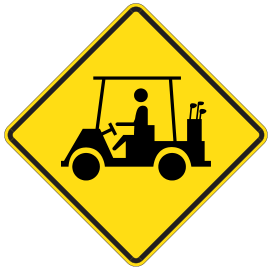
Golf cart crossing
Yellow diamond; golf cart.
Golf carts may enter or cross the road. Watch for slower vehicles.
Official manual · page 29 →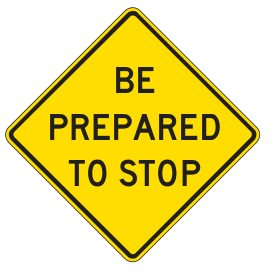
Be prepared to stop
Yellow diamond; BE PREPARED TO STOP.
Traffic conditions ahead may require a stop. Slow down, look ahead, and allow stopping space.
Official manual · page 29 →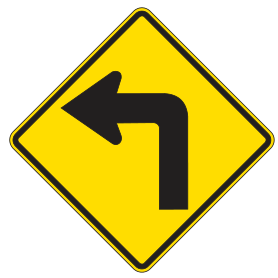
Sharp turn — slow down
Yellow diamond; sharply bent left arrow.
A sharp left turn is ahead. Slow down before reaching it.
Official manual · page 29 →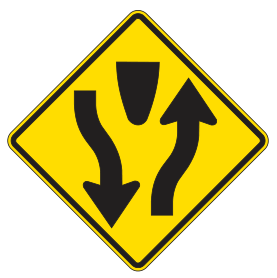
Divided highway begins
Yellow diamond; arrows separating around a median.
A divided roadway begins ahead. Keep to the right of the divider.
Official manual · page 29 →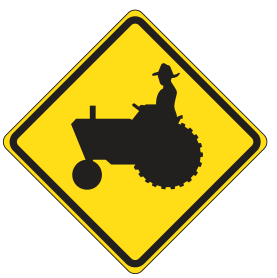
Farm machinery
Yellow diamond; tractor.
Expect farm equipment that may move slowly or enter the roadway. Give it space.
Official manual · page 29 →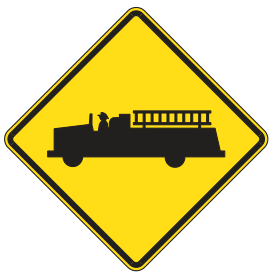
Fire station
Yellow diamond; fire engine.
A fire station is nearby. Watch for emergency vehicles entering the road.
Official manual · page 29 →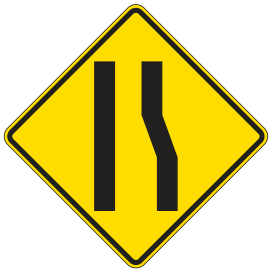
Lane ends
Yellow diamond; one lane edge converges.
A lane ends ahead. Check traffic and merge safely into the continuing lane.
Official manual · page 29 →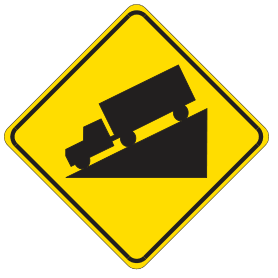
Steep downgrade
Yellow diamond; truck descending a slope.
A steep downhill grade is ahead. Control speed and select an appropriate gear before descending.
Official manual · page 29 →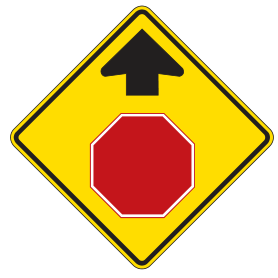
Stop ahead
Yellow diamond; upward arrow above a stop symbol.
A stop sign is ahead. Prepare to stop at the sign or stop line; the warning is not the stopping point.
Official manual · page 29 →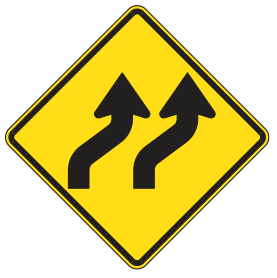
Lanes shifting
Yellow diamond; two arrows bending right.
The travel lanes shift ahead. Follow the lane markings through the shift.
Official manual · page 29 →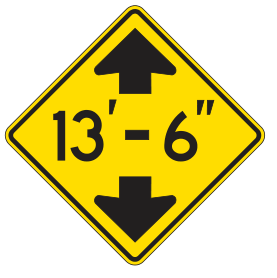
Low clearance
Yellow diamond; height between vertical arrows.
An overhead structure has limited clearance. Know your vehicle height; 13 feet 6 inches is the illustrated example.
Official manual · page 29 →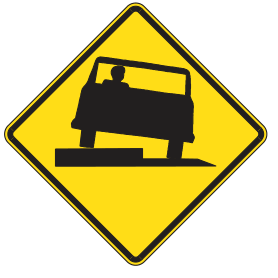
Low shoulder
Yellow diamond; vehicle tilted beside a pavement edge.
The shoulder is lower than the road surface. Stay on the pavement and avoid an abrupt drop-off.
Official manual · page 29 →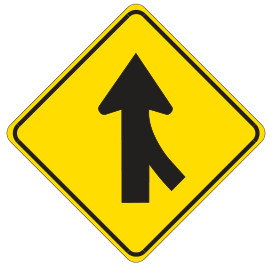
Merging traffic
Yellow diamond; side arrow joins the main arrow.
Traffic joins your roadway ahead. Watch for merging vehicles and adjust space safely.
Official manual · page 29 →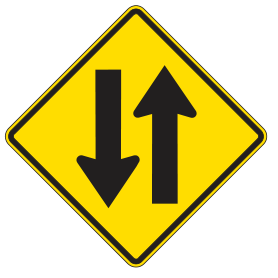
Two-way traffic
Yellow diamond; opposing vertical arrows.
Traffic travels in both directions ahead. Keep right and watch for oncoming vehicles.
Official manual · page 29 →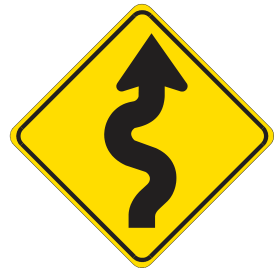
Winding road
Yellow diamond; winding arrow.
Several curves are ahead. Reduce speed and follow the roadway carefully.
Official manual · page 29 →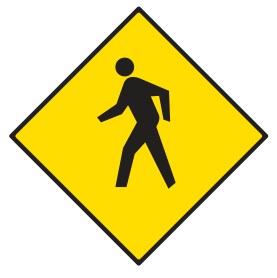
Pedestrian crossing
Yellow diamond; walking person.
Watch for pedestrians crossing or near the roadway. Be ready to yield or stop as required.
Official manual · page 29 →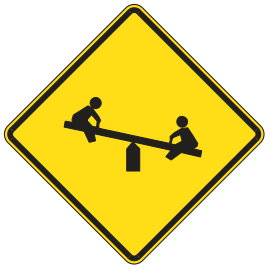
Playground warning
Yellow diamond; children on a seesaw.
A playground is nearby. Watch for children and be ready to slow or stop.
Official manual · page 29 →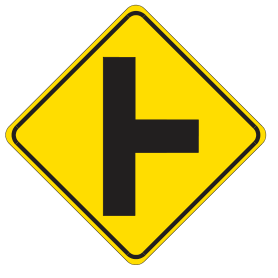
Side road
Yellow diamond; side branch joins a vertical line.
A side road enters ahead. Watch for vehicles entering or turning.
Official manual · page 29 →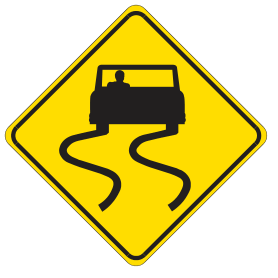
Slippery when wet
Yellow diamond; car with curved skid tracks.
Wet pavement may be slippery. Reduce speed and avoid sudden braking or steering.
Official manual · page 29 →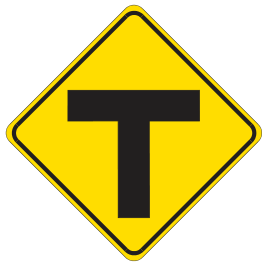
T intersection
Yellow diamond; black T.
The road ends at an intersecting road. Prepare to yield or stop and turn left or right.
Official manual · page 29 →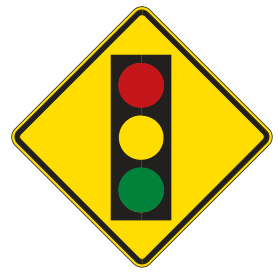
Traffic signal ahead
Yellow diamond; red, yellow, and green lights.
A traffic signal is ahead. Watch the signal and prepare to stop.
Official manual · page 29 →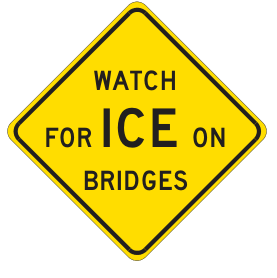
Watch for ice on bridges
Yellow diamond; WATCH FOR ICE ON BRIDGES.
Bridge surfaces may be icy when nearby pavement is not. Slow down and avoid abrupt maneuvers.
Official manual · page 29 →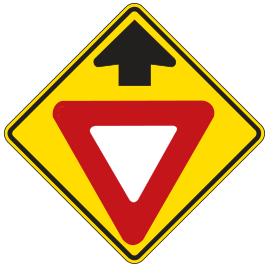
Yield ahead
Yellow diamond; upward arrow above a yield symbol.
A yield sign is ahead. Prepare to slow and yield, stopping if necessary.
Official manual · page 29 →Construction and maintenance
Try the quiz →Slow down and follow temporary directions through work zones.
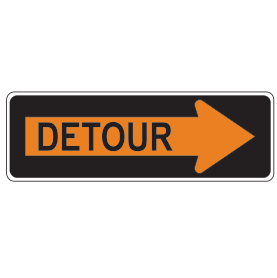
Detour
Orange arrow on a black rectangular panel.
Follow the arrow along the marked alternate route around a closure or work area.
Official manual · page 30 →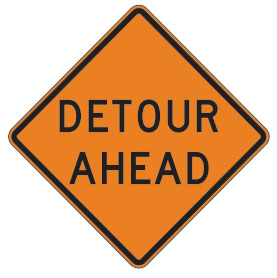
Detour ahead
Orange diamond; DETOUR AHEAD.
A detour is ahead. Prepare to follow the posted alternate route.
Official manual · page 30 →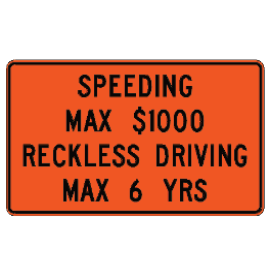
Worksite added penalties
Orange rectangle; speeding and reckless-driving penalty warning.
Work zones may have added penalties. Obey posted limits and drive carefully; the amounts and terms shown are examples from this manual figure.
Official manual · page 30 →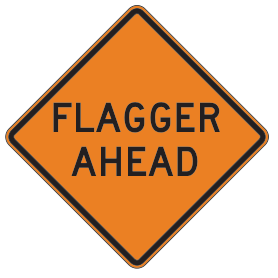
Flagger ahead — word sign
Orange diamond; FLAGGER AHEAD.
A flagger may control traffic ahead. Slow down and follow the flagger’s directions.
Official manual · page 30 →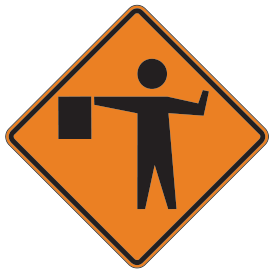
Flagger ahead — symbol
Orange diamond; person holding a flag.
A flagger may direct traffic ahead. Slow down and be ready to stop.
Official manual · page 30 →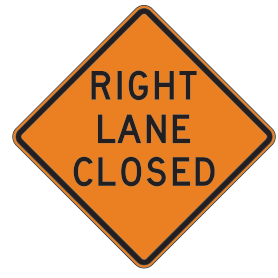
Right lane closed
Orange diamond; RIGHT LANE CLOSED.
The right lane is closed ahead. Watch traffic and merge safely as directed.
Official manual · page 30 →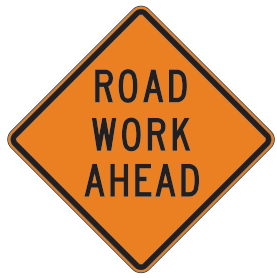
Road work ahead
Orange diamond; ROAD WORK AHEAD.
Construction or maintenance is ahead. Slow down and watch for workers, equipment, and changing lanes.
Official manual · page 30 →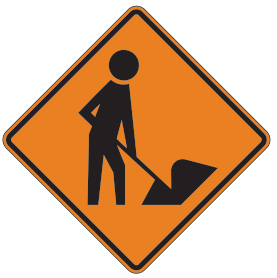
Work crew ahead
Orange diamond; person digging.
Workers are ahead. Give the work area space and be prepared to slow or stop.
Official manual · page 30 →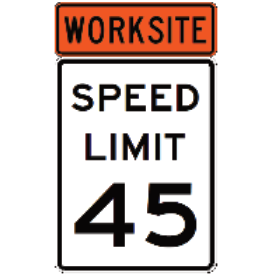
Worksite speed limit
White rectangle; orange WORKSITE panel above SPEED LIMIT 45.
Obey the posted worksite speed limit. The 45 mph shown is an example, not the limit for every work zone.
Official manual · page 30 →Railroad crossings
Try the quiz →Recognize advance warnings, crossing locations, and track information.
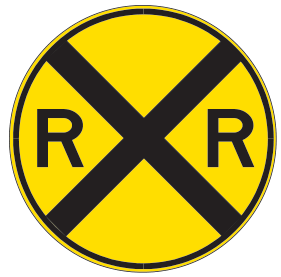
Railroad advance warning
Yellow circle; black X and two R letters.
A railroad crossing is ahead. Slow down, look and listen for trains, and prepare to stop if required.
Official manual · page 30 →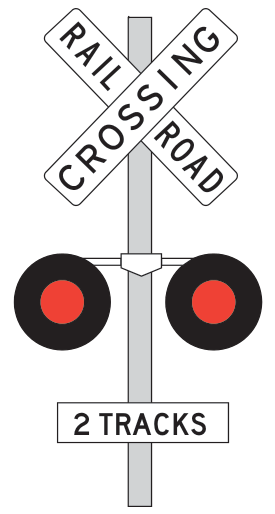
Railroad crossbuck and signals
White crossbuck; flashing-light equipment and 2 TRACKS plaque.
Marks a railroad crossing. Yield to trains and stop for an approaching train or active warning. The plaque shows two tracks in this example; watch for another train on any track.
Official manual · page 30 →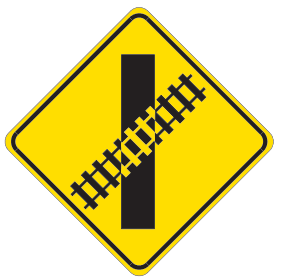
Railroad crossing — angled tracks
Yellow diamond; diagonal tracks crossing a road.
The road crosses railroad tracks at an angle ahead. Slow down, look and listen for trains, and prepare to stop if required.
Official manual · page 30 →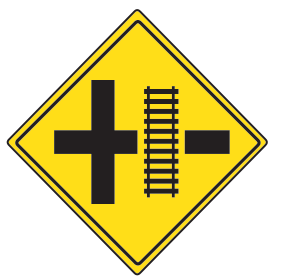
Railroad crossing on side road
Yellow diamond; side-road intersection and track symbol.
A railroad crossing is on the side road near the intersection. If turning onto that road, prepare for the tracks.
Official manual · page 30 →Schools and slow-moving vehicles
Try the quiz →Watch for children, buses, and vehicles traveling slowly.
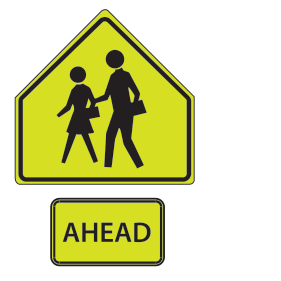
School crossing ahead
Fluorescent yellow-green pentagon; two people and an AHEAD plaque.
A school crossing is ahead. Slow down and watch for children.
Official manual · page 30 →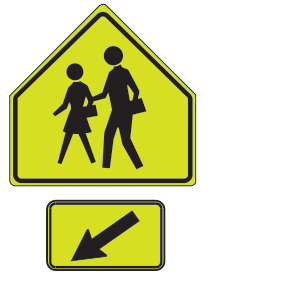
School crossing
Fluorescent yellow-green pentagon; two people and a diagonal arrow plaque.
The arrow identifies the school crossing location. Watch for children and yield as required.
Official manual · page 30 →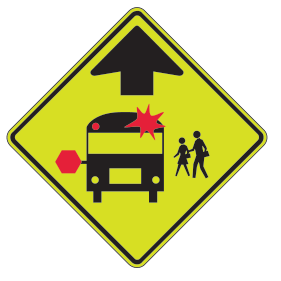
School bus stop ahead — symbol
Fluorescent yellow-green diamond; bus, children, and upward arrow.
A school bus stop is ahead. Watch for children and be ready to stop for the bus when required.
Official manual · page 30 →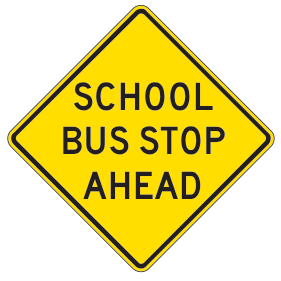
School bus stop ahead — word sign
Yellow diamond; SCHOOL BUS STOP AHEAD.
A school bus stop is ahead. Be alert for children and a stopped bus.
Official manual · page 30 →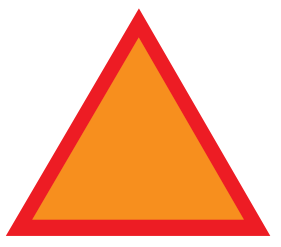
Slow-moving vehicle emblem
Triangle; fluorescent orange center and reflective red border.
Identifies a slow-moving vehicle that cannot exceed 25 mph. Slow down and allow space.
Official manual · page 30 →Speed advisories
Try the quiz →Read recommended speeds and warnings of a limit ahead.
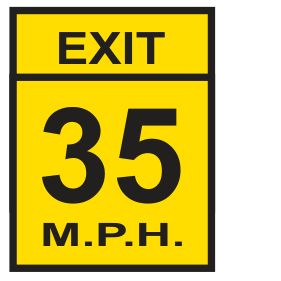
Exit advisory speed
Yellow rectangle; EXIT 35 M.P.H.
The recommended speed for the exit is shown. The 35 mph is an example; adjust for the exit and conditions.
Official manual · page 31 →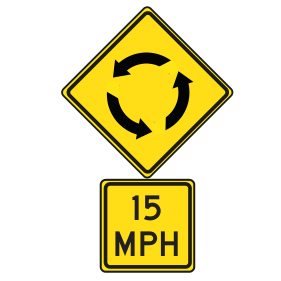
Roundabout advisory speed
Yellow roundabout warning above a 15 MPH plaque.
A roundabout is ahead; the plaque recommends a speed. The 15 mph shown is an example, not a limit for every roundabout.
Official manual · page 31 →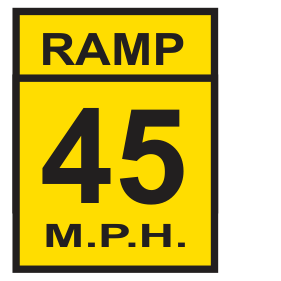
Ramp advisory speed
Yellow rectangle; RAMP 45 M.P.H.
The recommended ramp speed is shown. The 45 mph is an example; choose a safe speed for conditions.
Official manual · page 31 →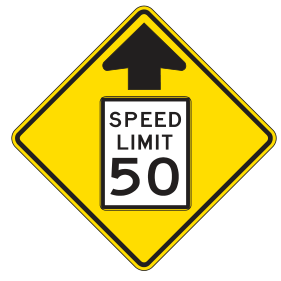
Speed limit ahead
Yellow diamond; speed-limit sign symbol with 50.
A posted speed limit is ahead. Prepare for that limit; 50 mph is the example in the illustration.
Official manual · page 31 →Traffic regulations
Try the quiz →Follow rules for stopping, turns, lanes, speed, and parking.
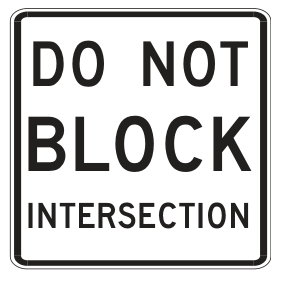
Do not block intersection
White rectangle; DO NOT BLOCK INTERSECTION.
Wait before entering until there is enough space beyond the intersection to clear it.
Official manual · page 31 →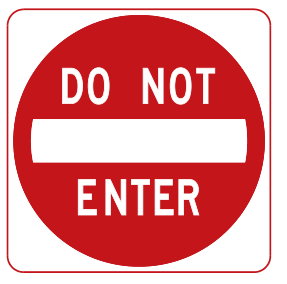
Do not enter
Red circle; white horizontal bar and DO NOT ENTER.
Do not enter this roadway from the direction facing the sign.
Official manual · page 31 →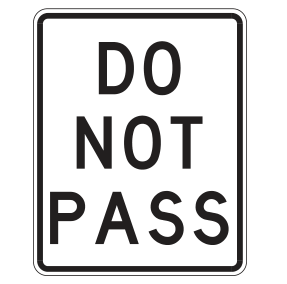
Do not pass
White rectangle; DO NOT PASS.
Passing other vehicles is prohibited in the indicated area.
Official manual · page 31 →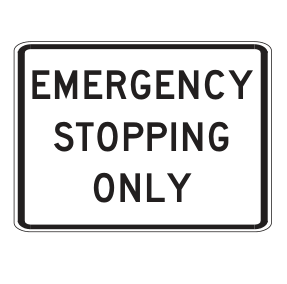
Emergency stopping only
White rectangle; EMERGENCY STOPPING ONLY.
Stop in the indicated area only for an emergency.
Official manual · page 31 →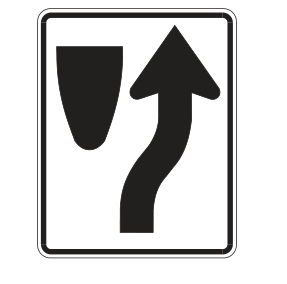
Keep right of obstruction
White rectangle; arrow bending around the right of an obstruction.
Pass to the right of the obstruction. This differs from the slower-traffic lane instruction.
Official manual · page 31 →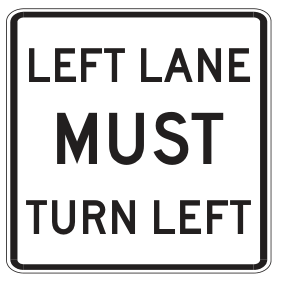
Left lane must turn left
White rectangle; LEFT LANE MUST TURN LEFT.
Drivers in the left lane must turn left at the intersection.
Official manual · page 31 →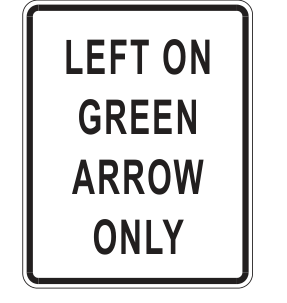
Left on green arrow only
White rectangle; LEFT ON GREEN ARROW ONLY.
Turn left only when the green arrow is displayed. A circular green alone does not authorize the turn here.
Official manual · page 31 →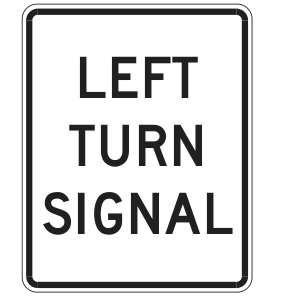
Left turn signal
White rectangle; LEFT TURN SIGNAL.
Identifies the signal that controls the left-turn movement. Follow that signal.
Official manual · page 31 →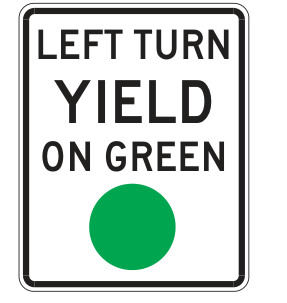
Left turn yield on green
White rectangle; LEFT TURN YIELD ON GREEN and a green circle.
On a circular green, yield to oncoming traffic and pedestrians before turning left.
Official manual · page 31 →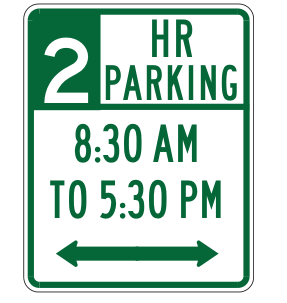
Limited parking
White and green rectangle; 2 HR PARKING and times.
Parking is limited to the duration and hours shown. Two hours and 8:30 AM–5:30 PM are this illustration’s examples.
Official manual · page 31 →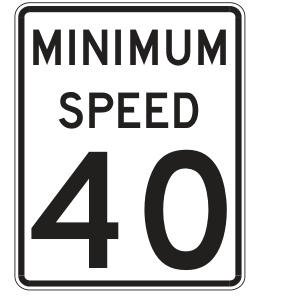
Minimum speed
White rectangle; MINIMUM SPEED 40.
Shows the posted minimum speed under normal conditions. The 40 mph is an example; do not drive unsafely for conditions.
Official manual · page 31 →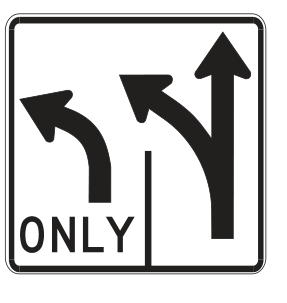
Multiple turn lanes
White rectangle; two left-turn arrows, one shared with straight movement.
Two lanes permit left turns; one also permits straight travel. Choose the correct lane and follow its arrows.
Official manual · page 31 →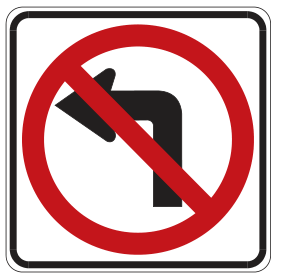
No left turn
White square; left arrow under a red prohibition circle and slash.
Left turns are prohibited at this location.
Official manual · page 31 →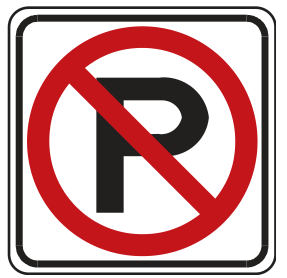
No parking — symbol
White square; P under a red prohibition circle and slash.
Parking is prohibited in the indicated area.
Official manual · page 31 →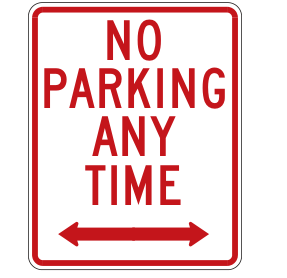
No parking any time
White rectangle; NO PARKING ANY TIME and a two-way arrow.
Parking is prohibited at all times along the indicated section.
Official manual · page 31 →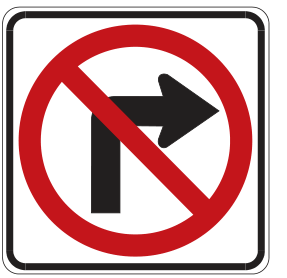
No right turn
White square; right arrow under a red prohibition circle and slash.
Right turns are prohibited at this location.
Official manual · page 31 →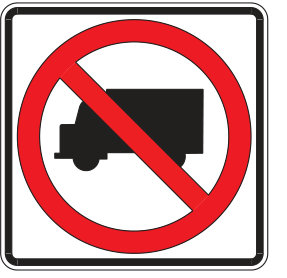
No trucks
White square; truck under a red prohibition circle and slash.
Trucks are prohibited from the indicated road or entrance.
Official manual · page 31 →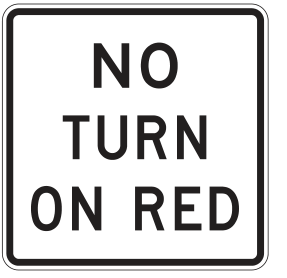
No turn on red
White rectangle; NO TURN ON RED.
Do not turn while facing a red signal at this location.
Official manual · page 31 →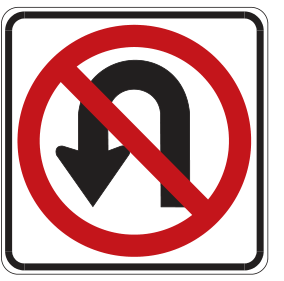
No U-turn
White square; U-turn arrow under a red prohibition circle and slash.
Do not turn around to travel in the opposite direction here.
Official manual · page 31 →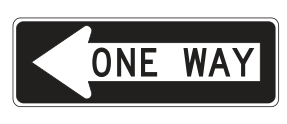
One way — left arrow
Black horizontal rectangle; white left arrow and ONE WAY.
Traffic on this road travels only in the arrow’s direction.
Official manual · page 31 →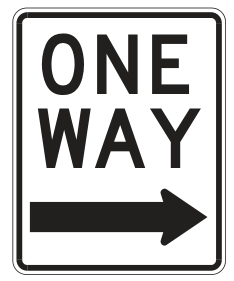
One way — right arrow
White vertical rectangle; ONE WAY and right arrow.
Traffic on this road travels only in the arrow’s direction.
Official manual · page 31 →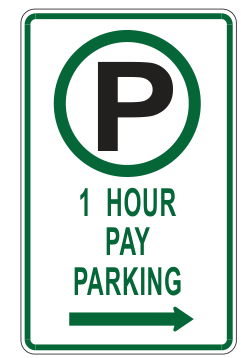
Pay parking
White and green rectangle; parking symbol and 1 HOUR PAY PARKING.
Payment and a time limit apply in the indicated area. One hour is the example; follow the actual posted terms.
Official manual · page 31 →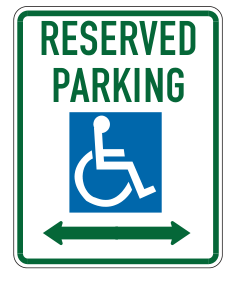
Reserved accessible parking
White and green rectangle; wheelchair symbol and RESERVED PARKING.
The indicated spaces are reserved for vehicles with qualifying disability parking authorization.
Official manual · page 31 →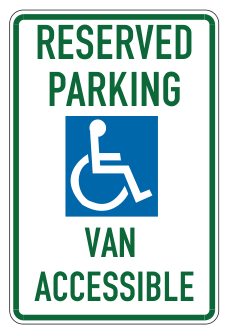
Van-accessible reserved parking
White and green rectangle; wheelchair symbol and VAN ACCESSIBLE.
Identifies reserved accessible parking designed to accommodate vans. Keep the adjacent access aisle clear.
Official manual · page 31 →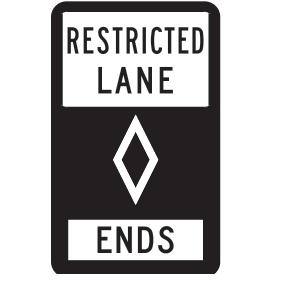
Restricted lane ends
Black rectangle; RESTRICTED LANE, diamond, and ENDS.
The lane restriction identified by the diamond ends at this point.
Official manual · page 32 →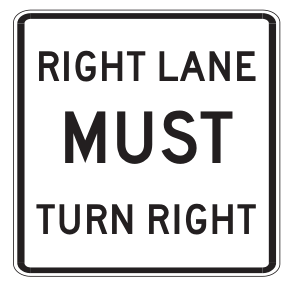
Right lane must turn right
White rectangle; RIGHT LANE MUST TURN RIGHT.
Drivers in the right lane must turn right.
Official manual · page 32 →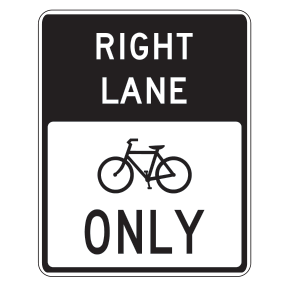
Right lane only — bicycles
White and black rectangle; RIGHT LANE, bicycle, and ONLY.
The right lane is designated for bicycles. Keep motor vehicles out except where legally permitted.
Official manual · page 32 →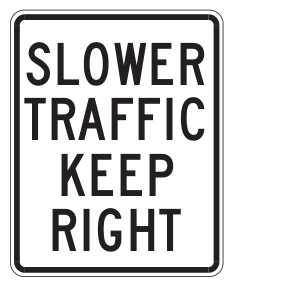
Slower traffic keep right
White rectangle; SLOWER TRAFFIC KEEP RIGHT.
Slower-moving traffic is directed to the right lane. This is different from the keep-right obstruction arrow.
Official manual · page 32 →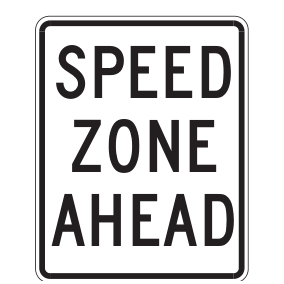
Speed zone ahead
White rectangle; SPEED ZONE AHEAD.
A speed-regulated area is ahead. Watch for and obey the posted limit.
Official manual · page 32 →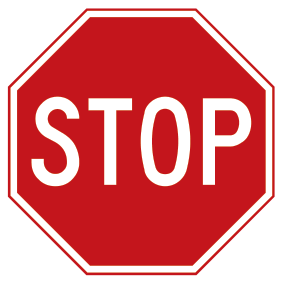
Stop
Red octagon; white STOP.
Come to a complete stop and yield the appropriate right of way before proceeding.
Official manual · page 32 →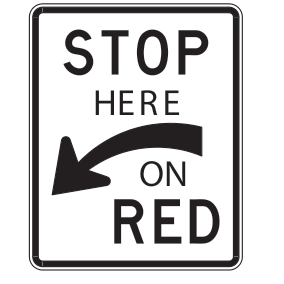
Stop here on red
White rectangle; STOP HERE ON RED and curved arrow.
When facing red, stop at the location indicated by the arrow.
Official manual · page 32 →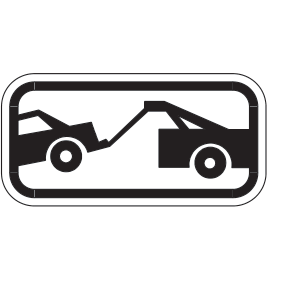
Tow-away zone
White rectangular panel; tow truck carrying a car.
Vehicles parked in the indicated area may be towed. Follow the accompanying restrictions.
Official manual · page 32 →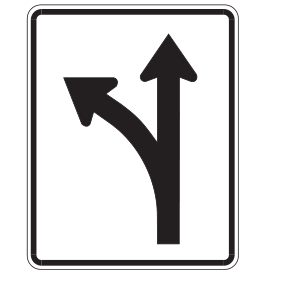
Turn left or go through
White rectangle; straight arrow branching left.
This lane permits a left turn or straight travel. Follow signals and lane markings.
Official manual · page 32 →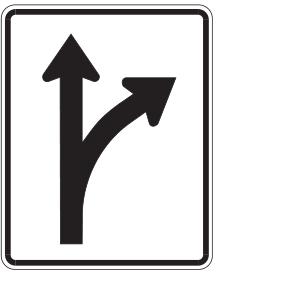
Turn right or go through
White rectangle; straight arrow branching right.
This lane permits a right turn or straight travel. Follow signals and lane markings.
Official manual · page 32 →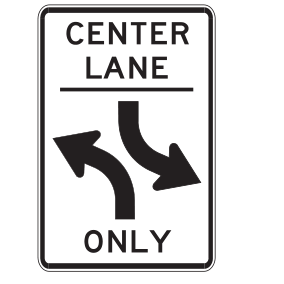
Two-way left-turn lane
White rectangle; CENTER LANE ONLY and opposing left-turn arrows.
The center lane is shared by traffic from both directions for left turns. Do not use it as a passing or through lane.
Official manual · page 32 →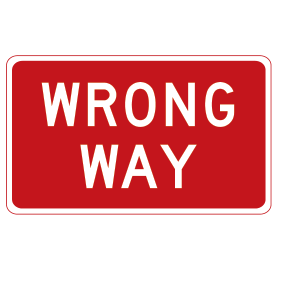
Wrong way
Red rectangle; white WRONG WAY.
You are facing against the permitted direction of travel. Do not continue into opposing traffic.
Official manual · page 32 →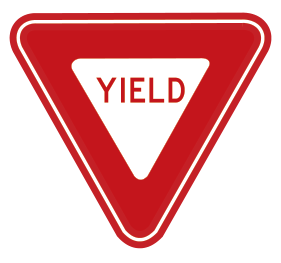
Yield
Inverted triangle; red border and white center.
Slow down and yield to traffic or pedestrians with the right of way. Stop if necessary before proceeding.
Official manual · page 32 →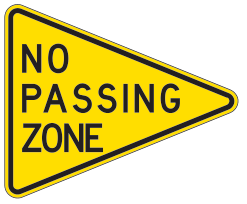
No passing zone
Yellow pennant; NO PASSING ZONE.
Posted on the left of a two-way road to warn against passing vehicles on the left.
Official manual · page 28 →Supplemental plaques
Try the quiz →Read these together with the stop sign above them.
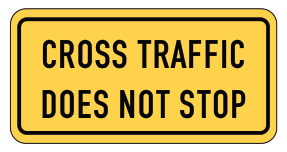
Cross traffic does not stop
Yellow rectangular supplemental plaque.
Used with a stop sign to warn that cross traffic does not stop. Stop and yield before entering.
Official manual · page 32 →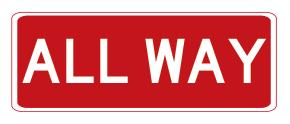
All way
Red rectangular supplemental plaque; ALL WAY.
Used beneath a stop sign to indicate that traffic from all approaches must stop.
Official manual · page 32 →Routes and directions
Try the quiz →Find destinations, highway exits, routes, and mile references.
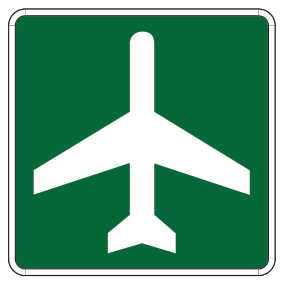
Airport
Green square; white airplane.
Shows the direction or location of an airport.
Official manual · page 32 →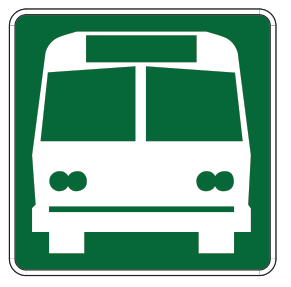
Bus station
Green square; white bus.
Shows the direction or location of a bus station.
Official manual · page 32 →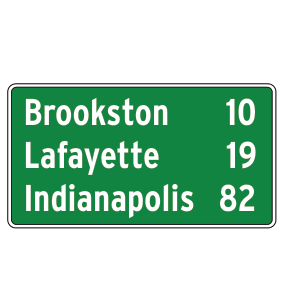
Posted distances
Green rectangle; towns with mileages.
Shows distances to the named destinations. The towns and mileages are examples.
Official manual · page 32 →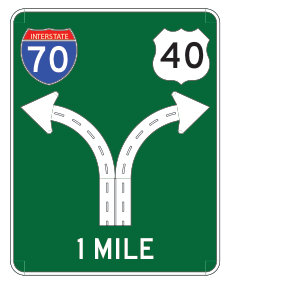
Highway exits
Green guide; Interstate 70 and US 40 shields with arrows.
Shows the routes and directions of approaching highway branches or exits. Route numbers and the 1 MILE distance are examples.
Official manual · page 32 →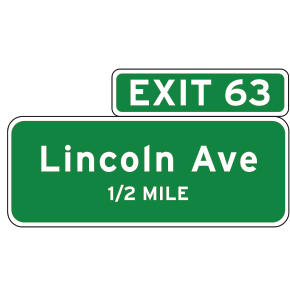
Advance guide sign
Green panels; exit number, street name, and distance.
Identifies an upcoming exit and how far away it is. Exit 63, Lincoln Ave, and 1/2 MILE are examples.
Official manual · page 32 →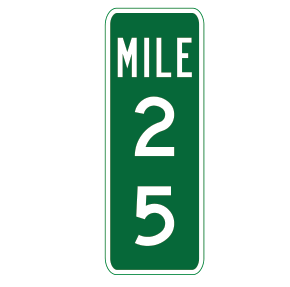
Mileage indicator
Green vertical rectangle; MILE 25.
Shows a mile reference along the route. The number 25 is an example and does not mean 25 miles to the next exit.
Official manual · page 32 →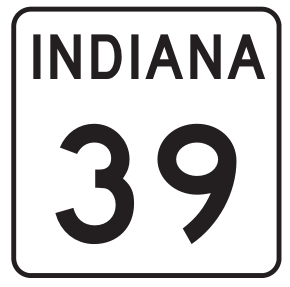
State road marker
White route marker; INDIANA 39.
Identifies an Indiana state road. The route number 39 is an example.
Official manual · page 32 →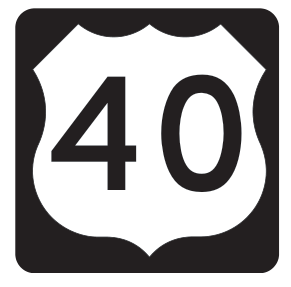
US highway marker
White US route shield with black number 40.
Identifies a US highway. The route number 40 is an example.
Official manual · page 32 →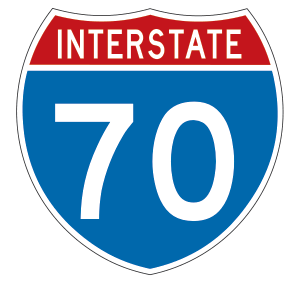
Interstate marker
Red, white, and blue shield; INTERSTATE 70.
Identifies an interstate highway. The route number 70 is an example.
Official manual · page 32 →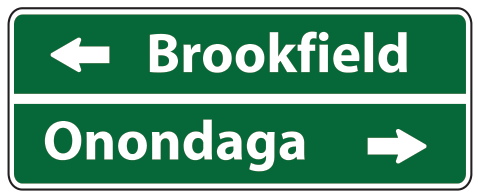
Destination directions
Green rectangle; place names and left/right arrows.
Shows which direction leads to each named place. The names and directions in this illustration are examples.
Official manual · page 28 →Services and recreation
Try the quiz →Recognize signs for nearby facilities, parks, and places of interest.
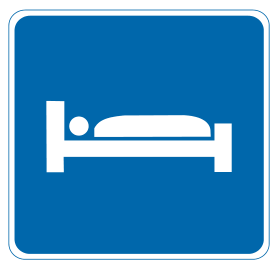
Accommodations available
Blue square; white bed.
Lodging or overnight accommodations are available nearby.
Official manual · page 33 →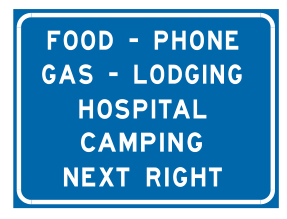
Amenities available
Blue rectangle; listed services and NEXT RIGHT.
Lists services available in the indicated direction. The service list and turn are examples; follow the actual sign.
Official manual · page 33 →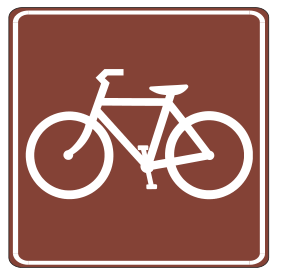
Bike trail
Brown square; white bicycle.
Identifies a recreational bicycle trail or the route to it.
Official manual · page 33 →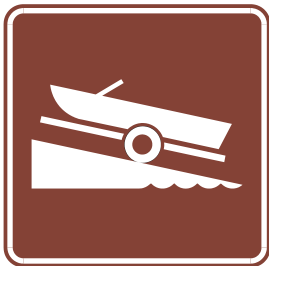
Boat ramp
Brown square; boat on a sloped ramp.
Identifies a boat-launching ramp or the route to one.
Official manual · page 33 →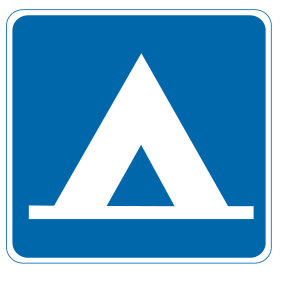
Camping site
Blue square; white tent.
Camping facilities are available nearby.
Official manual · page 33 →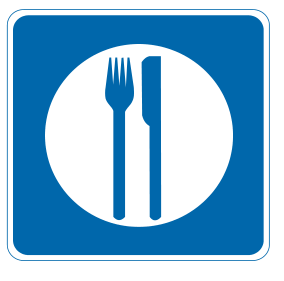
Food services available
Blue square; fork and knife.
Food services are available nearby.
Official manual · page 33 →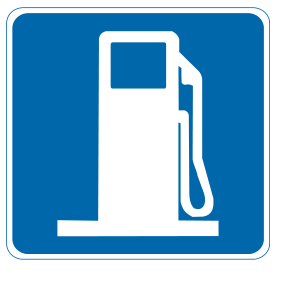
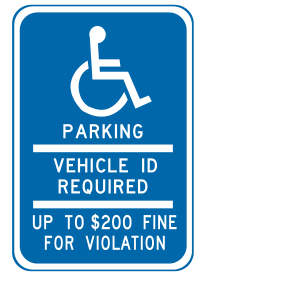
Accessible parking — authorization required
Blue rectangle; wheelchair and parking-authorization message.
Parking requires qualifying disability authorization. Read the actual posted terms; the penalty amount in the illustration is an example.
Official manual · page 33 →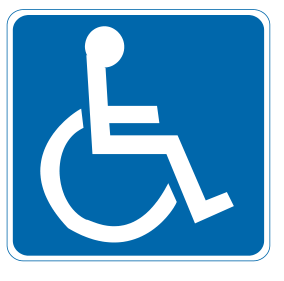
Accessible parking — symbol
Blue square; white wheelchair.
Identifies accessible parking. Use reserved spaces only with qualifying authorization and keep access aisles clear.
Official manual · page 33 →
Historical marker
Brown rectangle; HISTORICAL MARKER.
Identifies a historical or cultural point of interest.
Official manual · page 33 →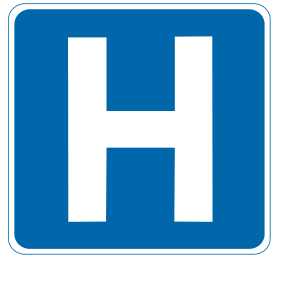
Hospital
Blue square; white H.
A hospital is nearby or in the indicated direction.
Official manual · page 33 →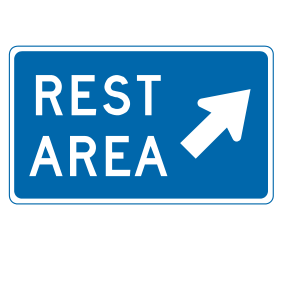
Rest area
Blue rectangle; REST AREA and diagonal arrow.
A rest area is in the indicated direction.
Official manual · page 33 →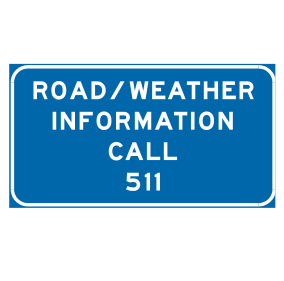
Road / weather information
Blue rectangle; ROAD / WEATHER INFORMATION CALL 511.
Identifies a road and weather information service. The manual’s example lists 511; obtain information safely before driving or while parked.
Official manual · page 33 →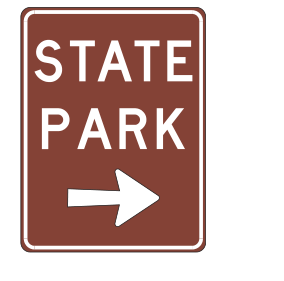
State park
Brown rectangle; STATE PARK and right arrow.
A state park is in the indicated direction.
Official manual · page 33 →
Telephone available
Blue square; telephone handset.
A telephone is available nearby.
Official manual · page 33 →